 Wholesale Handler
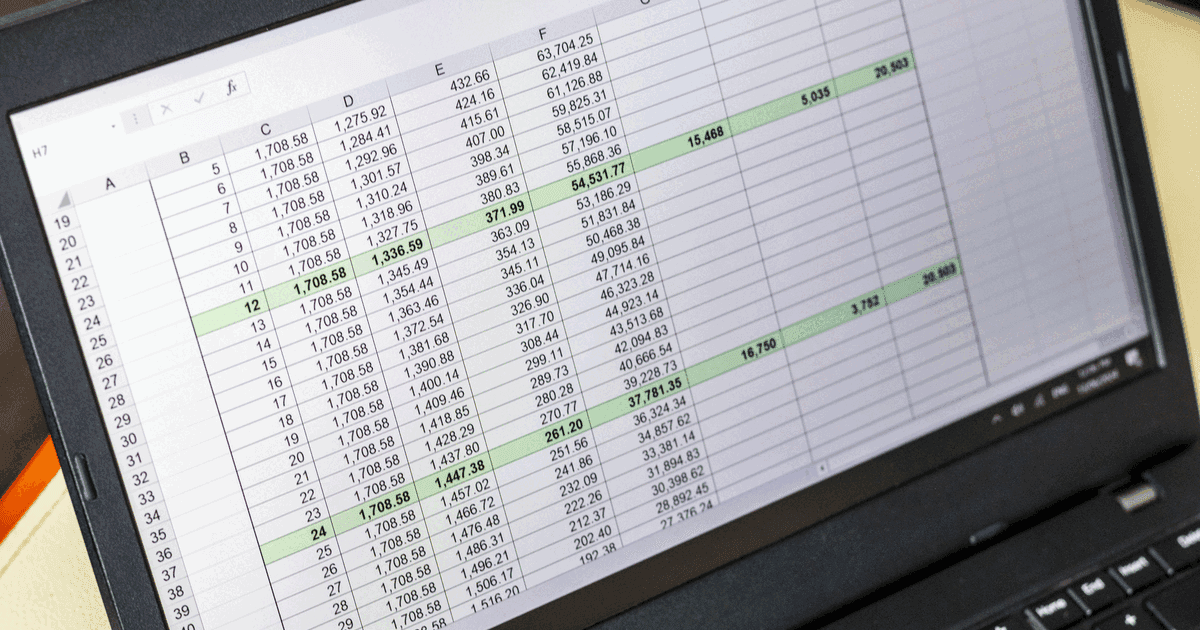
A spreadsheet can run a small wholesale operation, and a well-built one will do it for years. The catch is what "well-built" means. The version that holds up uses lookup functions, a normalised order log and pivot tables - intermediate-to-advanced Excel, not the list of numbers most people actually keep.
And most people overrate where they sit. In one survey of office workers(opens in a new tab), 83% rated their Excel as intermediate or advanced - but it was self-rated, and VLOOKUP and pivot tables, the functions this build runs on, are exactly the line most people never cross. "I'm advanced" and "I can model a relational order book" are not the same claim.
Even built correctly, a spreadsheet works against you quietly. Audits of real-world spreadsheets(opens in a new tab) find errors in around 88% of them, at rates the same researcher puts on a par with writing software - except software gets tested before it ships. And a spreadsheet still cannot do the one thing that would save the most time - let a customer place their own order.
"Advanced" Excel is rarer than people think
Most people use spreadsheets as lists: a few columns, the odd SUM, the rest typed in by hand. That is the tool working as designed. Building an order system asks it to behave like a database instead - and most people don't clock that as the ask, because a spreadsheet already looks like one.
That is the quiet trap. A grid of rows and columns holding your data looks exactly like a database, so it is natural to assume it is one. It is not. A real database keeps each fact in a single place and links the rest to it - your price for an item is stored once, and every order points to that one entry. A spreadsheet just holds cells in a grid. To get the same result you rebuild those links by hand with lookup formulas, and then maintain them forever. Storing data in linked tables this way - the relational model - is its own discipline, one that runs banks, airlines and most of the web, and almost no one outside software has ever had a reason to learn it.
It is advanced Excel on top of that. Lookup functions (VLOOKUP, XLOOKUP, INDEX/MATCH) to join the tables, and pivot tables to turn a log of order lines into picking lists, are the recognised dividing line between a beginner and an intermediate user - and even people who have used VLOOKUP for years routinely trip over its common pitfalls. The 83% who rate themselves intermediate or advanced are not the 83% who can build this. None of it is a knock on anyone. It is just a long way from "I'm good with Excel".
Spreadsheets break, and they break quietly
The error rates are not a rumour. Across audits of real spreadsheets, around 88% contained errors, with mistakes in roughly one formula cell in twenty. The researcher behind much of that work found spreadsheet error rates on a par with software development - the difference being that software is tested before it ships and a Tuesday-morning order sheet is not.
People are also badly calibrated about their own sheets. Asked how likely their spreadsheet was to contain an error, builders guessed around 18%. The measured rate was nearer 86%.
That matters because a broken lookup does not announce itself. There is no error message - just a wrong price on an invoice, found when the customer points it out. Every new product, price change, or member of staff who inserts a column is another chance to break a formula nobody remembers writing.
What "doing it properly" actually looks like
If that has not put you off, the build that holds up keeps its data in separate, linked tabs, reference tabs first:
- Products - one row per product: a short code (SKU), name, the unit you sell it in (tray, dozen, 12x400g case), base price and VAT rate. Add an "available" column so a line can be hidden without losing its history.
- Customers - one row per account: a customer code, business name, contact, delivery day, which price list they are on, and payment terms.
- Prices - the wholesale-specific tab. Few products are one price for everyone, so this holds the price of each product on each price list.
- Orders - one row per line, not per order: order number, date, delivery week, customer code, product code, quantity, unit price, line total. The order number ties the lines of one order together.
One row per line is the part that separates a spreadsheet that scales from one that seizes up. Put a whole order on one row with a column per product and it falls apart the first time the catalogue changes; one row per line lets a pivot table rebuild any order, total any week, and list any customer from the same tab.
Three formulas then do the work, repeated down the order log:
Pull details from a code - turn a product code into its name, and the same for unit and VAT:
=XLOOKUP(code, Products[code], Products[name])Charge the right price per customer - prices sit in a grid of price list against product, so you fake a two-dimensional lookup with a helper key:
=XLOOKUP(priceList & "|" & code, Prices[key], Prices[price])Total what matters - the week's picking list, and what each account still owes:
=SUMIFS(Orders[qty], Orders[code], code, Orders[week], thisWeek)
=SUMIFS(Orders[total], Orders[customer], customer, Orders[status], "<>Paid")
Add data-validation dropdowns on the code columns so the same product cannot be entered three different ways, and conditional formatting so unpaid orders show red. Build all of that and you have a working order desk - and a small relational database you now maintain by hand. Using Google Sheets to manage wholesale orders covers the same build in Sheets, where the formulas carry over and sharing a tab with a customer becomes its own problem.
Getting the orders in is the hard part
A spreadsheet does not take orders. It stores them. Orders still arrive by phone, text and email and get typed into the log by hand - the work that was eating the week in the first place.
The common fix is a linked Google Form feeding a responses tab. It helps with the typing, but a form shows the same options to everyone, so it cannot show a customer their own prices or a running total. The responses still have to be checked and reconciled against the right price list. The spreadsheet is the back office; the order desk is still a person.
Repeat orders mean copy, paste, change the date
Most wholesale accounts order much the same thing every week. A spreadsheet handles that by copying last week's lines, pasting them, and changing the date - once per account, every week. Fine for a handful. By fifteen or twenty it is a weekly chore of its own, and the first one you forget is a delivery that does not happen.
Would Notion be better?
For organising the data, Notion is a real step up. Its relations and rollups replace the lookup scaffolding: line items relate to an order, the order totals itself, a customer rolls up lifetime spend - no XLOOKUP to break. If you enjoy building, a Notion setup is tidier and pleasant to use.
It does not move the two things that actually cost you. Per-customer pricing still means nested formulas or typing the right price onto each line. Notion slows on large databases, works poorly offline, and takes real time to learn. And a customer still cannot sign in and order from it. You have rebuilt the back office in a nicer tool and left the front door where it was. What Notion does and does not do with a wholesale order goes through the databases, the forms and the sharing model one at a time.
What none of this fixes
Every version above - spreadsheet or Notion - organises your data. None lets a customer place their own correctly-priced order against your rules. The work that fills the week is collecting orders, not filing them, and that is the half neither tool touches.
- Every order still gets typed in by hand, by you
- Customers cannot see their own prices, their order history, or what is in stock this week
- Nothing stops an order placed after cutoff, on a holiday, or below your minimum
- Per-customer pricing stays fragile, whichever tool holds it
A spreadsheet is a good back office and a poor front door. Most operations feel the difference somewhere around 15 to 30 regular accounts, when the building and the re-typing cost more time than they save. There are earlier signs than the account count.
How Wholesale Handler helps
Wholesale Handler is the front door a spreadsheet cannot be. Customers sign in, see the prices set for them, and place their own orders - against your cutoff, your delivery days, your minimum spend, and only the products you have available.
- Per-customer price lists without the helper-key gymnastics. Each customer sees only their own prices.
- Orders arrive clean and structured - the tidy order log you were maintaining by hand, kept for you, ready to filter into a picking list or packing list.
- Standing orders that repeat themselves. A weekly order is set once and places itself on schedule. The customer can skip a delivery from a link in the preview email, or update the schedule itself - no copy, paste, change-the-date.
- Invoices generated from orders, so the numbers are not re-keyed a second time.
No lookup functions, no pivot tables, no formula to break at the worst moment. If you like your spreadsheet for the accounts, keep it - invoiced line items export to CSV in the shape Xero and QuickBooks expect.
When a spreadsheet is still the right call
If you sell to a few accounts on the same price, rarely change your list, and do not mind being the one who types the orders in, a spreadsheet is enough - and cheaper. A plain list does the job, without any of the lookups above - the same reasoning that keeps a paper order book workable at that size.
The day the cost stops being how your data is organised and starts being that your customers cannot order themselves is the day to move. No extra formula changes that one. Wholesale coffee orders spreadsheet for a small roaster marks where that day arrives for a roaster, and which columns a roast schedule adds before it does.
The version you don't have to build
All of that is work you don't have to do. Wholesale Handler is the order book already built - no tabs to design, no lookup formulas to break, no orders to re-type, because your customers place them. The clean, correctly-priced order log the spreadsheet was chasing simply arrives, inside your cutoff and your stock.
And it covers the jobs a spreadsheet didn't reach:
- A production schedule that adds the week's orders into what to make, pick and pack
- Packing slips printed straight from the orders
- Payment tracking, so who still owes you is a glance, not a SUMIFS
- An optional storefront, so new customers can find you - something no spreadsheet has ever done
A spreadsheet organises the orders you chase down. Wholesale Handler does the chasing for you, and a handful of the jobs you were doing by hand beside it.